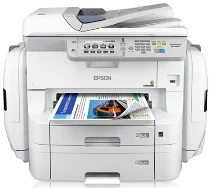
Logiciels et pilotes pour l’imprimante Epson WorkForce Pro WF-R8590 sous Windows et macOS.
Systèmes d'exploitation Microsoft Windows pris en charge
Windows 11
Windows 10 (32-bit et 64-bit)
Windows 8.1 (32-bit et 64-bit)
Windows 8 (32-bit et 64-bit)
Windows 7 (32-bit et 64-bit)
Windows Vista (32-bit et 64-bit)
Windows XP (32-bit et 64-bit)
Systèmes d’exploitation pris en charge : Windows 11, Windows 10 32-bit et 64-bit, Windows 8.1 32-bit et 64-bit, Windows 8 32-bit et 64-bit, Windows 7 32-bit et 64-bit, Windows Vista 32-bit et 64-bit
Ce programme d'installation du package de pilotes contient les éléments suivants :
- Pilote d'imprimante
- Pilote de scanner et utilitaire EPSON Scan
- Document Capture Pro
- EPSON Scan OCR Component
- Epson FAX Utility
- Epson Software Updater
Systèmes d’exploitation pris en charge : Windows XP 32-bit et 64-bit
Ce programme d'installation du package de pilotes contient les éléments suivants :
- Pilote d'imprimante
- Pilote de scanner et utilitaire EPSON Scan
- Document Capture Pro
- EPSON Scan OCR Component
- Epson FAX Utility
- Epson Software Updater
Systèmes d’exploitation pris en charge : Windows 10 32-bit, Windows 8.1 32-bit, Windows 8 32-bit, Windows 7 32-bit, Windows Vista 32-bit, Windows XP 32-bit
Systèmes d’exploitation pris en charge : Windows 11, Windows 10 64-bit, Windows 8.1 64-bit, Windows 8 64-bit, Windows 7 64-bit, Windows Vista 64-bit, Windows XP 64-bit
Systèmes d’exploitation pris en charge : Windows 11, Windows 10 32-bit et 64-bit, Windows 8.1 32-bit et 64-bit, Windows 8 32-bit et 64-bit, Windows 7 32-bit et 64-bit, Windows Vista 32-bit et 64-bit, Windows XP 32-bit et 64-bit
Systèmes d’exploitation pris en charge : Windows 11, Windows 10 32-bit et 64-bit, Windows 8.1 32-bit et 64-bit, Windows 8 32-bit et 64-bit, Windows 7 32-bit et 64-bit, Windows Vista 32-bit et 64-bit, Windows XP 32-bit et 64-bit
Systèmes d’exploitation pris en charge : Windows 11, Windows 10 32-bit et 64-bit, Windows 8.1 32-bit et 64-bit, Windows 8 32-bit et 64-bit, Windows 7 32-bit et 64-bit, Windows Vista 32-bit et 64-bit, Windows XP 32-bit et 64-bit
Systèmes d’exploitation pris en charge : Windows 10 32-bit, Windows 8.1 32-bit, Windows 8 32-bit, Windows 7 32-bit, Windows Vista 32-bit, Windows XP 32-bit
Systèmes d’exploitation pris en charge : Windows 11, Windows 10 64-bit, Windows 8.1 64-bit, Windows 8 64-bit, Windows 7 64-bit, Windows Vista 64-bit, Windows XP 64-bit
Systèmes d’exploitation pris en charge : Windows 10 32-bit, Windows 8.1 32-bit, Windows 8 32-bit, Windows 7 32-bit, Windows Vista 32-bit, Windows XP 32-bit
Systèmes d’exploitation pris en charge : Windows 11, Windows 10 64-bit, Windows 8.1 64-bit, Windows 8 64-bit, Windows 7 64-bit, Windows Vista 64-bit, Windows XP 64-bit
Systèmes d’exploitation pris en charge : Windows 11, Windows 10 64-bit, Windows 8.1 64-bit, Windows 8 64-bit, Windows 7 64-bit, Windows Vista 64-bit, Windows XP 64-bit
Systèmes d’exploitation pris en charge : Windows 10 32-bit, Windows 8.1 32-bit, Windows 8 32-bit, Windows 7 32-bit, Windows Vista 32-bit, Windows XP 32-bit
Systèmes d’exploitation pris en charge : Windows 10 64-bit, Windows 8.1 64-bit, Windows 8 64-bit, Windows 7 64-bit, Windows Vista 64-bit, Windows XP 64-bit
Systèmes d'exploitation macOS pris en charge
macOS Ventura 13
macOS Monterey 12
macOS Big Sur 11
macOS Catalina 10.15
macOS Mojave 10.14
macOS High Sierra 10.13
macOS Sierra 10.12
OS X El Capitan 10.11
OS X Yosemite 10.10
OS X Mavericks 10.9
OS X Mountain Lion 10.8
Mac OS X Lion 10.7
Mac OS X Snow Leopard 10.6
Mac OS X Leopard 10.5
Systèmes d’exploitation pris en charge : macOS Catalina 10.15, macOS Big Sur 11, macOS Monterey 12, macOS Ventura 13
Ce programme d'installation du package de pilotes contient les éléments suivants :
- Pilote d'imprimante
- Pilote de scanner et utilitaire Epson Scan 2
- Document Capture
- Epson FAX Utility
- Epson Scan 2 OCR Component
- Epson Software Updater
Systèmes d’exploitation pris en charge : Mac OS X Lion 10.7, OS X Mountain Lion 10.8, OS X Mavericks 10.9, OS X Yosemite 10.10, OS X El Capitan 10.11, macOS Sierra 10.12, macOS High Sierra 10.13, macOS Mojave 10.14
Ce programme d'installation du package de pilotes contient les éléments suivants :
- Pilote d'imprimante
- Pilote de scanner et utilitaire Epson Scan 2
- Document Capture
- Epson FAX Utility
- Epson Scan 2 OCR Component
- Epson Software Updater
Systèmes d’exploitation pris en charge : macOS Catalina 10.15, macOS Big Sur 11, macOS Monterey 12, macOS Ventura 13
Systèmes d’exploitation pris en charge : Mac OS X Snow Leopard 10.6, Mac OS X Lion 10.7, OS X Mountain Lion 10.8, OS X Mavericks 10.9, OS X Yosemite 10.10, OS X El Capitan 10.11, macOS Sierra 10.12, macOS High Sierra 10.13, macOS Mojave 10.14
Systèmes d’exploitation pris en charge : Mac OS X Leopard 10.5, Mac OS X Snow Leopard 10.6, Mac OS X Lion 10.7, OS X Mountain Lion 10.8, OS X Mavericks 10.9, OS X Yosemite 10.10, OS X El Capitan 10.11, macOS Sierra 10.12, macOS High Sierra 10.13, macOS Mojave 10.14, macOS Catalina 10.15, macOS Big Sur 11, macOS Monterey 12, macOS Ventura 13
Systèmes d’exploitation pris en charge : Mac OS X Snow Leopard 10.6, Mac OS X Lion 10.7, OS X Mountain Lion 10.8, OS X Mavericks 10.9, OS X Yosemite 10.10, OS X El Capitan 10.11, macOS Sierra 10.12, macOS High Sierra 10.13, macOS Mojave 10.14, macOS Catalina 10.15, macOS Big Sur 11, macOS Monterey 12, macOS Ventura 13
Systèmes d’exploitation pris en charge : Mac OS X Snow Leopard 10.6, Mac OS X Lion 10.7, OS X Mountain Lion 10.8, OS X Mavericks 10.9, OS X Yosemite 10.10, OS X El Capitan 10.11, macOS Sierra 10.12, macOS High Sierra 10.13, macOS Mojave 10.14, macOS Catalina 10.15, macOS Big Sur 11, macOS Monterey 12
Systèmes d’exploitation pris en charge : Mac OS X Snow Leopard 10.6, Mac OS X Lion 10.7, OS X Mountain Lion 10.8, OS X Mavericks 10.9, OS X Yosemite 10.10, OS X El Capitan 10.11, macOS Sierra 10.12, macOS High Sierra 10.13, macOS Mojave 10.14, macOS Catalina 10.15, macOS Big Sur 11, macOS Monterey 12
Spécifications de Epson WorkForce Pro WF-R8590
Ce modèle s’est fait un nom grâce à son système d’alimentation en encre nécessitant peu d’entretien et à ses performances d’impression élevées. Cet appareil de bureau polyvalent et multifonction assure les tâches quotidiennes d’impression, de numérisation, de copie et de télécopie. L’adoption de la technologie PrecisionCore le distingue à l’usage. Il offre également une excellente qualité d’impression à grande vitesse. Il utilise des packs d’encre de grande capacité, qui permettent d’imprimer jusqu’à 75,000 pages en noir et en couleur avant de devoir être remplacés. Il en résulte moins d’irrégularités et l’imprimante nécessite moins d’entretien.
Le WF-R8590 n’est pas en reste en matière de vitesse. Il convient également à la production de documents d’aspect professionnel, avec un texte noir net et bien marqué. Les impressions couleur sont aussi riches et fidèles que celles d’une imprimante de groupe de travail, même si elles ne peuvent remplacer une imprimante photo dédiée. Sa vitesse est également remarquable : il imprime rapidement, même en recto verso, ce qui permet de gagner du temps dans un environnement de bureau au rythme soutenu. De plus, son prix est abordable. L’appareil propose plusieurs options de connexion : Ethernet, Wi-Fi, Wi-Fi Direct et impression depuis un appareil mobile. Ces options renforcent sa praticité.
Epson affirme que le WorkForce Pro WF-R8590 consomme jusqu’à 70% d’énergie en moins que les imprimantes laser. Compte tenu de ses avantages économiques et environnementaux, c’est un produit convaincant. Le WF-R8590 est conçu pour répondre aux besoins des utilisateurs. Son interface est intuitive et la navigation sur l’écran tactile est relativement facile pour la plupart des utilisateurs. Ses encres haute capacité, son efficacité énergétique et ses performances solides le distinguent de nombreux concurrents. En améliorant la productivité tout en maîtrisant les coûts, le WF-R8590 s’est taillé une place sur le marché.