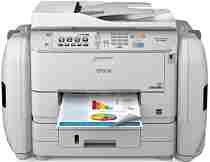
Pilotes Epson WorkForce Pro WF-R5690 Printer Software and pour Windows et macOS.
Systèmes d'exploitation Microsoft Windows pris en charge
Windows 11
Windows 10 (32-bit et 64-bit)
Windows 8.1 (32-bit et 64-bit)
Windows 8 (32-bit et 64-bit)
Windows 7 (32-bit et 64-bit)
Windows Vista (32-bit et 64-bit)
Windows XP (32-bit et 64-bit)
Systèmes d’exploitation pris en charge : Windows 11, Windows 10 32-bit et 64-bit, Windows 8.1 32-bit et 64-bit, Windows 8 32-bit et 64-bit, Windows 7 32-bit et 64-bit, Windows Vista 32-bit et 64-bit
Ce programme d'installation du package de pilotes contient les éléments suivants :
- Pilote d'imprimante
- Pilote de scanner et utilitaire EPSON Scan
- Document Capture Pro
- EPSON Scan OCR Component
- Epson FAX Utility
- Epson Software Updater
Systèmes d’exploitation pris en charge : Windows XP 32-bit et 64-bit
Ce programme d'installation du package de pilotes contient les éléments suivants :
- Pilote d'imprimante
- Pilote de scanner et utilitaire EPSON Scan
- Document Capture Pro
- EPSON Scan OCR Component
- Epson FAX Utility
- Epson Software Updater
Systèmes d’exploitation pris en charge : Windows 11, Windows 10 32-bit et 64-bit, Windows 8.1 32-bit et 64-bit, Windows 8 32-bit et 64-bit, Windows 7 32-bit et 64-bit, Windows Vista 32-bit et 64-bit, Windows XP 32-bit et 64-bit
Systèmes d’exploitation pris en charge : Windows 11, Windows 10 32-bit et 64-bit, Windows 8.1 32-bit et 64-bit, Windows 8 32-bit et 64-bit, Windows 7 32-bit et 64-bit, Windows Vista 32-bit et 64-bit, Windows XP 32-bit et 64-bit
Systèmes d’exploitation pris en charge : Windows 11, Windows 10 32-bit et 64-bit, Windows 8.1 32-bit et 64-bit, Windows 8 32-bit et 64-bit, Windows 7 32-bit et 64-bit, Windows Vista 32-bit et 64-bit, Windows XP 32-bit et 64-bit
Systèmes d’exploitation pris en charge : Windows 10 32-bit, Windows 8.1 32-bit, Windows 8 32-bit, Windows 7 32-bit, Windows Vista 32-bit, Windows XP 32-bit
Systèmes d’exploitation pris en charge : Windows 11, Windows 10 64-bit, Windows 8.1 64-bit, Windows 8 64-bit, Windows 7 64-bit, Windows Vista 64-bit, Windows XP 64-bit
Systèmes d’exploitation pris en charge : Windows 10 32-bit, Windows 8.1 32-bit, Windows 8 32-bit, Windows 7 32-bit, Windows Vista 32-bit, Windows XP 32-bit
Systèmes d’exploitation pris en charge : Windows 11, Windows 10 64-bit, Windows 8.1 64-bit, Windows 8 64-bit, Windows 7 64-bit, Windows Vista 64-bit, Windows XP 64-bit
Systèmes d’exploitation pris en charge : Windows 11, Windows 10 64-bit, Windows 8.1 64-bit, Windows 8 64-bit, Windows 7 64-bit, Windows Vista 64-bit, Windows XP 64-bit
Systèmes d’exploitation pris en charge : Windows 10 32-bit, Windows 8.1 32-bit, Windows 8 32-bit, Windows 7 32-bit, Windows Vista 32-bit, Windows XP 32-bit
Systèmes d’exploitation pris en charge : Windows 10 64-bit, Windows 8.1 64-bit, Windows 8 64-bit, Windows 7 64-bit, Windows Vista 64-bit, Windows XP 64-bit
Systèmes d’exploitation pris en charge : Windows 10 32-bit, Windows 8.1 32-bit, Windows 8 32-bit, Windows 7 32-bit, Windows Vista 32-bit, Windows XP 32-bit
Systèmes d’exploitation pris en charge : Windows 10 64-bit, Windows 8.1 64-bit, Windows 8 64-bit, Windows 7 64-bit, Windows Vista 64-bit, Windows XP 64-bit
Systèmes d'exploitation macOS pris en charge
macOS Ventura 13
macOS Monterey 12
macOS Big Sur 11
macOS Catalina 10.15
macOS Mojave 10.14
macOS High Sierra 10.13
macOS Sierra 10.12
OS X El Capitan 10.11
OS X Yosemite 10.10
OS X Mavericks 10.9
OS X Mountain Lion 10.8
Mac OS X Lion 10.7
Mac OS X Snow Leopard 10.6
Mac OS X Leopard 10.5
Systèmes d’exploitation pris en charge : macOS Catalina 10.15, macOS Big Sur 11, macOS Monterey 12, macOS Ventura 13
Ce programme d'installation du package de pilotes contient les éléments suivants :
- Pilote d'imprimante
- Pilote de scanner et utilitaire Epson Scan 2
- Document Capture
- Epson FAX Utility
- Epson Scan 2 OCR Component
- Epson Software Updater
Systèmes d’exploitation pris en charge : Mac OS X Lion 10.7, OS X Mountain Lion 10.8, OS X Mavericks 10.9, OS X Yosemite 10.10, OS X El Capitan 10.11, macOS Sierra 10.12, macOS High Sierra 10.13, macOS Mojave 10.14
Ce programme d'installation du package de pilotes contient les éléments suivants :
- Pilote d'imprimante
- Pilote de scanner et utilitaire Epson Scan 2
- Document Capture
- Epson FAX Utility
- Epson Scan 2 OCR Component
- Epson Software Updater
Systèmes d’exploitation pris en charge : macOS Catalina 10.15, macOS Big Sur 11, macOS Monterey 12, macOS Ventura 13
Systèmes d’exploitation pris en charge : Mac OS X Snow Leopard 10.6, Mac OS X Lion 10.7, OS X Mountain Lion 10.8, OS X Mavericks 10.9, OS X Yosemite 10.10, OS X El Capitan 10.11, macOS Sierra 10.12, macOS High Sierra 10.13, macOS Mojave 10.14
Systèmes d’exploitation pris en charge : Mac OS X Snow Leopard 10.6, Mac OS X Lion 10.7, OS X Mountain Lion 10.8, OS X Mavericks 10.9, OS X Yosemite 10.10, OS X El Capitan 10.11, macOS Sierra 10.12, macOS High Sierra 10.13, macOS Mojave 10.14, macOS Catalina 10.15, macOS Big Sur 11, macOS Monterey 12, macOS Ventura 13
Systèmes d’exploitation pris en charge : Mac OS X Leopard 10.5, Mac OS X Snow Leopard 10.6, Mac OS X Lion 10.7, OS X Mountain Lion 10.8, OS X Mavericks 10.9, OS X Yosemite 10.10, OS X El Capitan 10.11, macOS Sierra 10.12, macOS High Sierra 10.13, macOS Mojave 10.14, macOS Catalina 10.15, macOS Big Sur 11, macOS Monterey 12, macOS Ventura 13
Systèmes d’exploitation pris en charge : Mac OS X Snow Leopard 10.6, Mac OS X Lion 10.7, OS X Mountain Lion 10.8, OS X Mavericks 10.9, OS X Yosemite 10.10, OS X El Capitan 10.11, macOS Sierra 10.12, macOS High Sierra 10.13, macOS Mojave 10.14, macOS Catalina 10.15, macOS Big Sur 11, macOS Monterey 12
Systèmes d’exploitation pris en charge : Mac OS X Snow Leopard 10.6, Mac OS X Lion 10.7, OS X Mountain Lion 10.8, OS X Mavericks 10.9, OS X Yosemite 10.10, OS X El Capitan 10.11, macOS Sierra 10.12, macOS High Sierra 10.13, macOS Mojave 10.14, macOS Catalina 10.15, macOS Big Sur 11, macOS Monterey 12
Spécifications de Epson WorkForce Pro WF-R5690
L’imprimante Epson WorkForce Pro WF-R5690 a été conçue pour les lieux de travail très actifs où le rythme est soutenu. Les cartouches d’encre ont été remplacées par la technologie EcoTank : des réservoirs d’encre rechargeables qui permettent de réaliser des économies à long terme. Les bureaux qui cherchent à réduire leurs dépenses en encre peuvent tirer parti de cette amélioration. Cette imprimante offre un rendement équivalent à environ 50,000 pages avant de devoir être rechargée. Vous avez donc moins de contraintes et pouvez imprimer davantage avant de devoir la recharger ; votre bureau peut ainsi se passer, pour ainsi dire, de changer constamment les cartouches d’encre.
Le WF-R5690 ne déçoit pas non plus en matière de qualité d’impression. Le texte est net et lisible, ce qui est particulièrement appréciable pour les rapports et les présentations qui doivent être impeccables. Pour les graphiques, la qualité des couleurs est bonne et les images sont bien définies, même si l’imprimante n’atteint probablement pas le niveau des modèles conçus spécialement pour la photo. De plus, elle n’est peut-être pas aussi rapide que certains modèles laser, mais sa vitesse reste suffisante pour la plupart des tâches de bureau. Elle prend également en charge l’impression recto verso automatique, ce qui permet d’économiser du papier et est bénéfique pour l’environnement.
Le WF-R5690 propose plusieurs options de connexion. Ethernet ou Wi-Fi permettent de le relier au réseau. La fonction Wi-Fi Direct permet l’impression à distance. L’imprimante est également compatible avec diverses applications d’impression mobile, comme Epson Connect, afin que vous puissiez imprimer facilement depuis un smartphone ou une tablette. Pour modifier rapidement les paramètres, l’interface utilisateur du WF-R5690, dotée d’un écran tactile, est relativement conviviale. Le WF-R5690 vise à allier une impression très efficace à de faibles coûts de fonctionnement, ce qui en fait le choix idéal pour toute entreprise à la recherche d’une imprimante de bureau conçue pour un usage intensif.