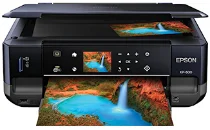
Logiciels et pilotes pour l’imprimante Epson XP-600 sous Windows et macOS.
Systèmes d'exploitation Microsoft Windows pris en charge
Windows 11
Windows 10 (32-bit et 64-bit)
Windows 8.1 (32-bit et 64-bit)
Windows 8 (32-bit et 64-bit)
Windows 7 (32-bit et 64-bit)
Windows Vista (32-bit et 64-bit)
Windows XP (32-bit et 64-bit)
Systèmes d’exploitation pris en charge : Windows 8 32-bit et 64-bit, Windows 8.1 32-bit et 64-bit, Windows 10 32-bit et 64-bit, Windows 11
Ce programme d'installation du package de pilotes contient les éléments suivants :
- Pilote d'imprimante
- Pilote de scanner et utilitaire EPSON Scan
- Epson Event Manager
- Epson Software Updater
- Network Installer
Systèmes d’exploitation pris en charge : Windows 7 32-bit et 64-bit, Windows XP 32-bit et 64-bit, Windows Vista 32-bit et 64-bit
Ce programme d'installation du package de pilotes contient les éléments suivants :
- Pilote d'imprimante
- Pilote de scanner et utilitaire EPSON Scan
- Epson Event Manager
- Epson Software Updater
- Network Installer
Systèmes d’exploitation pris en charge : Windows 8 32-bit, Windows 8.1 32-bit, Windows 10 32-bit
Systèmes d’exploitation pris en charge : Windows 8 64-bit, Windows 8.1 64-bit, Windows 10 64-bit
Systèmes d’exploitation pris en charge : Windows 7 32-bit, Windows Vista 32-bit, Windows XP 32-bit
Systèmes d’exploitation pris en charge : Windows 7 64-bit, Windows Vista 64-bit, Windows XP 64-bit
Systèmes d’exploitation pris en charge : Windows 11, Windows 10 32-bit et 64-bit, Windows 8.1 32-bit et 64-bit, Windows 8 32-bit et 64-bit, Windows 7 32-bit et 64-bit, Windows Vista 32-bit et 64-bit, Windows XP 32-bit et 64-bit
Systèmes d’exploitation pris en charge : Windows 10 32-bit, Windows 8.1 32-bit, Windows 8 32-bit, Windows 7 32-bit, Windows Vista 32-bit, Windows XP 32-bit
Systèmes d’exploitation pris en charge : Windows 11, Windows 10 64-bit, Windows 8.1 64-bit, Windows 8 64-bit, Windows 7 64-bit, Windows Vista 64-bit, Windows XP 64-bit
Systèmes d'exploitation macOS pris en charge
macOS Ventura 13
macOS Monterey 12
macOS Big Sur 11
macOS Catalina 10.15
macOS Mojave 10.14
macOS High Sierra 10.13
macOS Sierra 10.12
OS X El Capitan 10.11
OS X Yosemite 10.10
OS X Mavericks 10.9
OS X Mountain Lion 10.8
Mac OS X Lion 10.7
Mac OS X Snow Leopard 10.6
Mac OS X Leopard 10.5
Systèmes d’exploitation pris en charge : Mac OS X Leopard 10.5, Mac OS X Snow Leopard 10.6, Mac OS X Lion 10.7, OS X Mountain Lion 10.8, OS X Mavericks 10.9, OS X Yosemite 10.10, OS X El Capitan 10.11, macOS Sierra 10.12, macOS High Sierra 10.13, macOS Mojave 10.14, macOS Catalina 10.15, macOS Big Sur 11, macOS Monterey 12, macOS Ventura 13
Systèmes d’exploitation pris en charge : Mac OS X Snow Leopard 10.6, Mac OS X Lion 10.7, OS X Mountain Lion 10.8, OS X Mavericks 10.9, OS X Yosemite 10.10, OS X El Capitan 10.11, macOS Sierra 10.12, macOS High Sierra 10.13, macOS Mojave 10.14, macOS Catalina 10.15, macOS Big Sur 11, macOS Monterey 12, macOS Ventura 13
Systèmes d’exploitation pris en charge : Mac OS X Snow Leopard 10.6, Mac OS X Lion 10.7, OS X Mountain Lion 10.8, OS X Mavericks 10.9, OS X Yosemite 10.10, OS X El Capitan 10.11, macOS Sierra 10.12, macOS High Sierra 10.13, macOS Mojave 10.14, macOS Catalina 10.15, macOS Big Sur 11, macOS Monterey 12, macOS Ventura 13
Systèmes d’exploitation pris en charge : Mac OS X Leopard 10.5, Mac OS X Snow Leopard 10.6, Mac OS X Lion 10.7, OS X Mountain Lion 10.8, OS X Mavericks 10.9, OS X Yosemite 10.10, OS X El Capitan 10.11, macOS Sierra 10.12, macOS High Sierra 10.13, macOS Mojave 10.14
Spécifications de Epson XP-600
L’imprimante compacte tout-en-un Epson Expression Premium XP-600 est bien le modèle XP-600. Elle allie performances, fonctionnalités et qualité photo, ce qui la rend utile dans de nombreux contextes, à la maison comme dans les ateliers des amateurs. Avec une résolution de 5760×1440 dpi, elle produit des impressions d’une grande netteté, aux couleurs éclatantes et au texte noir bien défini. La XP-600 saura satisfaire les amateurs d’impression photo grâce à ses photos sans bordure de qualité laboratoire, rendues possibles par son système à cinq cartouches, qui comprend une cartouche d’encre noire photo pour des détails plus précis dans les zones sombres.
Lors de la conception de la XP-600, Epson a tenu compte de l’expérience utilisateur. Son format compact et son design élégant cachent toute sa puissance. L’écran LCD couleur de 2.5 pouces et le panneau tactile facilitent la navigation dans les menus. Vous pouvez imprimer sur toutes sortes de supports ; un bac photo séparé ajoute à la praticité de l’imprimante, qui prend également en charge l’impression recto verso. Sa vitesse d’impression, mesurée en ppm (pages par minute), est appréciable : 12 ppm en noir et neuf ppm en couleur.
La série XP-600 répond également aux besoins actuels en matière de connectivité grâce à plusieurs options. L’impression directe par Wi-Fi permet d’imprimer facilement vos documents depuis n’importe quel appareil, sans avoir à configurer de réseau. Compatible avec Epson Connect, AirPrint et Google Cloud Print, elle permet aussi d’imprimer depuis presque n’importe où.
La cartouche ne comporte qu’une seule petite pièce, ce qui réduit les déchets et, à long terme, les dépenses des personnes qui impriment peu. La série XP-600 allie qualité d’image et praticité, avec des performances qui en font une option sérieuse pour quiconque recherche une imprimante compacte, multifonctionnelle et facile à utiliser.