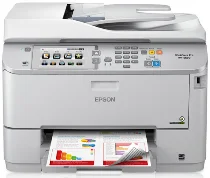
Logiciels et pilotes pour l’imprimante Epson WorkForce Pro WF-5690 sous Windows et macOS.
Systèmes d'exploitation Microsoft Windows pris en charge
Windows 11
Windows 10 (32-bit et 64-bit)
Windows 8.1 (32-bit et 64-bit)
Windows 8 (32-bit et 64-bit)
Windows 7 (32-bit et 64-bit)
Windows Vista (32-bit et 64-bit)
Windows XP (32-bit et 64-bit)
Systèmes d’exploitation pris en charge : Windows 11, Windows 10 32-bit et 64-bit, Windows 8.1 32-bit et 64-bit, Windows 8 32-bit et 64-bit, Windows 7 32-bit et 64-bit, Windows Vista 32-bit et 64-bit
Ce programme d'installation du package de pilotes contient les éléments suivants :
- Pilote d'imprimante
- Pilote de scanner et utilitaire EPSON Scan
- Document Capture Pro
- EPSON Scan OCR Component
- Epson FAX Utility
- Epson Software Updater
Systèmes d’exploitation pris en charge : Windows XP 32-bit et 64-bit
Ce programme d'installation du package de pilotes contient les éléments suivants :
- Pilote d'imprimante
- Pilote de scanner et utilitaire EPSON Scan
- Document Capture Pro
- EPSON Scan OCR Component
- Epson FAX Utility
- Epson Software Updater
Systèmes d’exploitation pris en charge : Windows 11, Windows 10 32-bit et 64-bit, Windows 8.1 32-bit et 64-bit, Windows 8 32-bit et 64-bit, Windows 7 32-bit et 64-bit, Windows Vista 32-bit et 64-bit, Windows XP 32-bit et 64-bit
Systèmes d’exploitation pris en charge : Windows 11, Windows 10 32-bit et 64-bit, Windows 8.1 32-bit et 64-bit, Windows 8 32-bit et 64-bit, Windows 7 32-bit et 64-bit, Windows Vista 32-bit et 64-bit, Windows XP 32-bit et 64-bit
Systèmes d’exploitation pris en charge : Windows 10 32-bit, Windows 8.1 32-bit, Windows 8 32-bit, Windows 7 32-bit, Windows Vista 32-bit, Windows XP 32-bit
Systèmes d’exploitation pris en charge : Windows 11, Windows 10 64-bit, Windows 8.1 64-bit, Windows 8 64-bit, Windows 7 64-bit, Windows Vista 64-bit, Windows XP 64-bit
Systèmes d’exploitation pris en charge : Windows 10 32-bit, Windows 8.1 32-bit, Windows 8 32-bit, Windows 7 32-bit, Windows Vista 32-bit, Windows XP 32-bit
Systèmes d’exploitation pris en charge : Windows 11, Windows 10 64-bit, Windows 8.1 64-bit, Windows 8 64-bit, Windows 7 64-bit, Windows Vista 64-bit, Windows XP 64-bit
Systèmes d’exploitation pris en charge : Windows 10 32-bit, Windows 8.1 32-bit, Windows 8 32-bit, Windows 7 32-bit, Windows Vista 32-bit, Windows XP 32-bit
Systèmes d’exploitation pris en charge : Windows 11, Windows 10 64-bit, Windows 8.1 64-bit, Windows 8 64-bit, Windows 7 64-bit, Windows Vista 64-bit, Windows XP 64-bit
Systèmes d’exploitation pris en charge : Windows 10 32-bit, Windows 8.1 32-bit, Windows 8 32-bit, Windows 7 32-bit, Windows Vista 32-bit, Windows XP 32-bit
Systèmes d’exploitation pris en charge : Windows 11, Windows 10 64-bit, Windows 8.1 64-bit, Windows 8 64-bit, Windows 7 64-bit, Windows Vista 64-bit, Windows XP 64-bit
Systèmes d’exploitation pris en charge : Windows 11, Windows 10 64-bit, Windows 8.1 64-bit, Windows 8 64-bit, Windows 7 64-bit, Windows Vista 64-bit, Windows XP 64-bit
Systèmes d'exploitation macOS pris en charge
macOS Ventura 13
macOS Monterey 12
macOS Big Sur 11
macOS Catalina 10.15
macOS Mojave 10.14
macOS High Sierra 10.13
macOS Sierra 10.12
OS X El Capitan 10.11
OS X Yosemite 10.10
OS X Mavericks 10.9
OS X Mountain Lion 10.8
Mac OS X Lion 10.7
Mac OS X Snow Leopard 10.6
Mac OS X Leopard 10.5
Systèmes d’exploitation pris en charge : macOS Catalina 10.15, macOS Big Sur 11, macOS Monterey 12, macOS Ventura 13
Ce programme d'installation du package de pilotes contient les éléments suivants :
- Pilote d'imprimante standard
- Pilote de scanner et utilitaire Epson Scan 2
- Pilote de scanner ICA
- Epson Event Manager
- Document Capture
- Epson Fax Utility
- Epson Software Updater
Systèmes d’exploitation pris en charge : Mac OS X Lion 10.7, OS X Mountain Lion 10.8, OS X Mavericks 10.9, OS X Yosemite 10.10, OS X El Capitan 10.11, macOS Sierra 10.12, macOS High Sierra 10.13, macOS Mojave 10.14
Ce programme d'installation du package de pilotes contient les éléments suivants :
- Pilote d'imprimante standard
- Pilote de scanner et utilitaire Epson Scan 2
- Pilote de scanner ICA
- Epson Event Manager
- Document Capture
- Epson Fax Utility
- Epson Software Updater
Systèmes d’exploitation pris en charge : Mac OS X Snow Leopard 10.6, Mac OS X Lion 10.7, OS X Mountain Lion 10.8, OS X Mavericks 10.9, OS X Yosemite 10.10, OS X El Capitan 10.11, macOS Sierra 10.12, macOS High Sierra 10.13, macOS Mojave 10.14, macOS Catalina 10.15, macOS Big Sur 11, macOS Monterey 12
Systèmes d’exploitation pris en charge : macOS Catalina 10.15, macOS Big Sur 11, macOS Monterey 12, macOS Ventura 13
Systèmes d’exploitation pris en charge : Mac OS X Leopard 10.5, Mac OS X Snow Leopard 10.6, Mac OS X Lion 10.7, OS X Mountain Lion 10.8, OS X Mavericks 10.9, OS X Yosemite 10.10, OS X El Capitan 10.11, macOS Sierra 10.12, macOS High Sierra 10.13, macOS Mojave 10.14
Systèmes d’exploitation pris en charge : Mac OS X Leopard 10.5, Mac OS X Snow Leopard 10.6, Mac OS X Lion 10.7, OS X Mountain Lion 10.8, OS X Mavericks 10.9, OS X Yosemite 10.10, OS X El Capitan 10.11, macOS Sierra 10.12, macOS High Sierra 10.13, macOS Mojave 10.14, macOS Catalina 10.15, macOS Big Sur 11, macOS Monterey 12, macOS Ventura 13
Systèmes d’exploitation pris en charge : Mac OS X Snow Leopard 10.6, Mac OS X Lion 10.7, OS X Mountain Lion 10.8, OS X Mavericks 10.9, OS X Yosemite 10.10, OS X El Capitan 10.11, macOS Sierra 10.12, macOS High Sierra 10.13, macOS Mojave 10.14, macOS Catalina 10.15, macOS Big Sur 11, macOS Monterey 12, macOS Ventura 13
Systèmes d’exploitation pris en charge : Mac OS X Snow Leopard 10.6, Mac OS X Lion 10.7, OS X Mountain Lion 10.8, OS X Mavericks 10.9, OS X Yosemite 10.10, OS X El Capitan 10.11, macOS Sierra 10.12, macOS High Sierra 10.13, macOS Mojave 10.14, macOS Catalina 10.15, macOS Big Sur 11, macOS Monterey 12
Spécifications de Epson WorkForce Pro WF-5690
L’Epson WorkForce Pro WF-5690 est une référence parmi les imprimantes tout-en-un, spécialement conçue pour répondre aux exigences d’un environnement de bureau. Robuste, elle offre une vitesse d’impression élevée et une précision remarquable, indispensables pour maintenir la productivité au bureau. Sa vitesse d’impression est impressionnante. Elle produit des documents texte nets et précis, d’aspect professionnel et faciles à lire. Ces caractéristiques prennent une importance croissante dans les écrits professionnels, c’est certain.
La WF-5690 se distingue également par ses options de connexion. Le Wi-Fi et l’Ethernet facilitent son intégration au réseau. Même si elle n’est pas conçue pour être déplacée, elle convient au bureau moderne. Ajoutez à cela une capacité d’alimentation impressionnante de 800 feuilles et un bac de sortie de 330 feuilles, et vous comprendrez pourquoi cette machine m’enthousiasme tant. Quant aux autres, ces paresseux, ils laisseront leurs employés s’en charger quand ils auront grandi.
Le fonctionnement économique est une autre caractéristique notable de la WF-5690. Sa consommation d’encre est suffisamment faible pour limiter les dépenses. Mieux encore, cela ne se fait pas au détriment de la qualité d’impression ni de la durée de vie. Cette machine peut être mieux adaptée aux projets, en particulier à ceux qui comportent beaucoup de photos. À l’inverse, elle offre une solution économique aux bureaux ayant des besoins d’impression courants. En résumé, la WF-5690 offre un excellent rapport qualité-prix, des économies et une excellente qualité d’impression ; elle constitue un partenaire fiable au quotidien pour les bureaux qui ont besoin d’imprimer des textes de qualité supérieure.