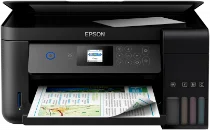
Logiciels et pilotes pour l’imprimante Epson L4160 sous Windows et macOS.
Systèmes d'exploitation Microsoft Windows pris en charge
Windows 11
Windows 10 (32-bit et 64-bit)
Windows 8.1 (32-bit et 64-bit)
Windows 8 (32-bit et 64-bit)
Windows 7 (32-bit et 64-bit)
Windows Vista (32-bit et 64-bit)
Windows XP (32-bit et 64-bit)
Systèmes d’exploitation pris en charge : Windows 11, Windows 10 32-bit et 64-bit, Windows 8.1 32-bit et 64-bit, Windows 8 32-bit et 64-bit, Windows 7 32-bit et 64-bit, Windows Vista 32-bit et 64-bit
Ce package combiné contient :
- Pilote d'imprimante
- Pilote de scanner et utilitaire Epson Scan 2
- Epson Scan 2 OCR Component
- Epson Event Manager
- Epson Software Updater
Systèmes d’exploitation pris en charge : Windows 11, Windows 10 64-bit, Windows 8.1 64-bit, Windows 8 64-bit, Windows 7 64-bit, Windows Vista 64-bit
Systèmes d’exploitation pris en charge : Windows 10 32-bit, Windows 8.1 32-bit, Windows 8 32-bit, Windows 7 32-bit, Windows Vista 32-bit, Windows XP 32-bit
Systèmes d’exploitation pris en charge : Windows 11, Windows 10 32-bit et 64-bit, Windows 8.1 32-bit et 64-bit, Windows 8 32-bit et 64-bit, Windows 7 32-bit et 64-bit, Windows Vista 32-bit et 64-bit, Windows XP 32-bit et 64-bit
Systèmes d'exploitation macOS pris en charge
macOS Ventura 13
macOS Monterey 12
macOS Big Sur 11
macOS Catalina 10.15
macOS Mojave 10.14
macOS High Sierra 10.13
macOS Sierra 10.12
OS X El Capitan 10.11
OS X Yosemite 10.10
OS X Mavericks 10.9
OS X Mountain Lion 10.8
Mac OS X Lion 10.7
Mac OS X Snow Leopard 10.6
Systèmes d’exploitation pris en charge : macOS Catalina 10.15, macOS Big Sur 11, macOS Monterey 12, macOS Ventura 13
Ce package combiné contient :
- Pilote d'imprimante
- Pilote de scanner et utilitaire EPSON Scan
- EPSON Easy Photo Print
- Epson Event Manager
- Epson Scan 2 OCR Component
- Epson Software Updater
Systèmes d’exploitation pris en charge : Mac OS X Lion 10.7, OS X Mountain Lion 10.8, OS X Mavericks 10.9, OS X Yosemite 10.10, OS X El Capitan 10.11, macOS Sierra 10.12, macOS High Sierra 10.13, macOS Mojave 10.14
Ce package combiné contient :
- Pilote d'imprimante
- Pilote de scanner et utilitaire EPSON Scan
- EPSON Easy Photo Print
- Epson Event Manager
- Epson Scan 2 OCR Component
- Epson Software Updater
Systèmes d’exploitation pris en charge : Mac OS X Snow Leopard 10.6, Mac OS X Lion 10.7, OS X Mountain Lion 10.8, OS X Mavericks 10.9, OS X Yosemite 10.10, OS X El Capitan 10.11, macOS Sierra 10.12, macOS High Sierra 10.13, macOS Mojave 10.14, macOS Catalina 10.15, macOS Big Sur 11, macOS Monterey 12, macOS Ventura 13
Systèmes d’exploitation pris en charge : Mac OS X Snow Leopard 10.6, Mac OS X Lion 10.7, OS X Mountain Lion 10.8, OS X Mavericks 10.9, OS X Yosemite 10.10, OS X El Capitan 10.11, macOS Sierra 10.12, macOS High Sierra 10.13, macOS Mojave 10.14, macOS Catalina 10.15, macOS Big Sur 11, macOS Monterey 12
Spécifications de Epson L4160
L’imprimante à jet d’encre Epson L4160 se distingue des autres appareils par ses fonctionnalités remarquables. Pour les personnes disposant d’un budget limité et à la recherche d’un modèle abordable et fiable pour leurs travaux universitaires, son système de réservoirs d’encre rechargeables permet d’imprimer à moindre coût. Les étudiants qui souhaitent réduire leurs dépenses d’impression à l’avenir devraient également tenir compte d’une éventuelle remise importante lors de l’achat de ce modèle.
L’impression sans fil permet aux utilisateurs de lancer l’impression des documents dont ils ont besoin depuis leur ordinateur portable ou leur smartphone, sans avoir à utiliser de câbles encombrants. Côté qualité, l’imprimante ne fait pas attendre longtemps ses utilisateurs : elle imprime rapidement et offre de bons résultats. En matière de confort et d’économie, la L4160 surpasse les modèles d’imprimantes similaires, notamment grâce à sa consommation d’encre maîtrisée et à ses options d’impression sans fil.
Cette imprimante répond aux besoins des étudiants et des adultes qui doivent rédiger et imprimer de nombreux documents de bonne qualité.