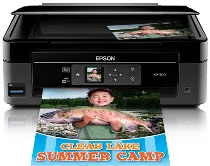
Pilotes Epson Expression Home XP-300 Printer Software and pour Windows et macOS.
Systèmes d'exploitation Microsoft Windows pris en charge
Windows 11
Windows 10 (32-bit et 64-bit)
Windows 8.1 (32-bit et 64-bit)
Windows 8 (32-bit et 64-bit)
Windows 7 (32-bit et 64-bit)
Windows Vista (32-bit et 64-bit)
Windows XP (32-bit et 64-bit)
Systèmes d’exploitation pris en charge : Windows 11, Windows 10 32-bit et 64-bit, Windows 8.1 32-bit et 64-bit, Windows 8 32-bit et 64-bit
Ce programme d'installation du package de pilotes contient les éléments suivants :
- Pilote d'imprimante
- Pilote de scanner et utilitaire EPSON Scan
- Epson Event Manager
- Epson Software Updater
- Network Installer
Systèmes d’exploitation pris en charge : Windows 7 32-bit et 64-bit, Windows Vista 32-bit et 64-bit, Windows XP 32-bit et 64-bit
Ce programme d'installation du package de pilotes contient les éléments suivants :
- Pilote d'imprimante
- Pilote de scanner et utilitaire EPSON Scan
- Epson Event Manager
- Epson Software Updater
- Network Installer
Systèmes d’exploitation pris en charge : Windows 10 32-bit, Windows 8.1 32-bit, Windows 8 32-bit
Systèmes d’exploitation pris en charge : Windows 10 64-bit, Windows 8.1 64-bit, Windows 8 64-bit
Systèmes d’exploitation pris en charge : Windows 7 32-bit, Windows Vista 32-bit, Windows XP 32-bit
Systèmes d’exploitation pris en charge : Windows 7 64-bit, Windows Vista 64-bit, Windows XP 64-bit
Systèmes d’exploitation pris en charge : Windows 11, Windows 10 32-bit et 64-bit, Windows 8.1 32-bit et 64-bit, Windows 8 32-bit et 64-bit, Windows 7 32-bit et 64-bit, Windows Vista 32-bit et 64-bit, Windows XP 32-bit et 64-bit
Systèmes d’exploitation pris en charge : Windows 10 32-bit, Windows 8.1 32-bit, Windows 8 32-bit, Windows 7 32-bit, Windows Vista 32-bit, Windows XP 32-bit
Systèmes d’exploitation pris en charge : Windows 11, Windows 10 64-bit, Windows 8.1 64-bit, Windows 8 64-bit, Windows 7 64-bit, Windows Vista 64-bit, Windows XP 64-bit
Systèmes d’exploitation pris en charge : Windows 11, Windows 10 32-bit et 64-bit, Windows 8.1 32-bit et 64-bit, Windows 8 32-bit et 64-bit, Windows 7 32-bit et 64-bit, Windows Vista 32-bit et 64-bit, Windows XP 32-bit et 64-bit
Systèmes d'exploitation macOS pris en charge
macOS Ventura 13
macOS Monterey 12
macOS Big Sur 11
macOS Catalina 10.15
macOS Mojave 10.14
macOS High Sierra 10.13
macOS Sierra 10.12
OS X El Capitan 10.11
OS X Yosemite 10.10
OS X Mavericks 10.9
OS X Mountain Lion 10.8
Mac OS X Lion 10.7
Mac OS X Snow Leopard 10.6
Mac OS X Leopard 10.5
Systèmes d’exploitation pris en charge : Mac OS X Snow Leopard 10.6, Mac OS X Lion 10.7, OS X Mountain Lion 10.8, OS X Mavericks 10.9, OS X Yosemite 10.10, OS X El Capitan 10.11, macOS Sierra 10.12, macOS High Sierra 10.13, macOS Mojave 10.14, macOS Catalina 10.15, macOS Big Sur 11, macOS Monterey 12, macOS Ventura 13
Systèmes d’exploitation pris en charge : Mac OS X Leopard 10.5, Mac OS X Snow Leopard 10.6, Mac OS X Lion 10.7, OS X Mountain Lion 10.8, OS X Mavericks 10.9, OS X Yosemite 10.10, OS X El Capitan 10.11, macOS Sierra 10.12, macOS High Sierra 10.13, macOS Mojave 10.14
Systèmes d’exploitation pris en charge : Mac OS X Leopard 10.5, Mac OS X Snow Leopard 10.6, Mac OS X Lion 10.7, OS X Mountain Lion 10.8, OS X Mavericks 10.9, OS X Yosemite 10.10, OS X El Capitan 10.11, macOS Sierra 10.12, macOS High Sierra 10.13, macOS Mojave 10.14, macOS Catalina 10.15, macOS Big Sur 11, macOS Monterey 12, macOS Ventura 13
Systèmes d’exploitation pris en charge : Mac OS X Snow Leopard 10.6, Mac OS X Lion 10.7, OS X Mountain Lion 10.8, OS X Mavericks 10.9, OS X Yosemite 10.10, OS X El Capitan 10.11, macOS Sierra 10.12, macOS High Sierra 10.13, macOS Mojave 10.14, macOS Catalina 10.15, macOS Big Sur 11, macOS Monterey 12, macOS Ventura 13
Spécifications de Epson Expression Home XP-300
La petite Epson XP-300 est une imprimante tout-en-un. Elle n’occupe qu’un tout petit coin et répond aux besoins d’impression limités du quotidien. Elle est facile à installer et convient parfaitement aux personnes peu à l’aise avec la technologie. Grâce à ses fonctionnalités sans fil, elle permet d’imprimer facilement. Le seul inconvénient est que vous ne pouvez pas imprimer depuis un ordinateur portable ou une tablette sans les relier à l’imprimante par câble.
La XP-300 offre une qualité d’impression tout à fait correcte. Elle conviendra à un usage général et à presque tout ce que vous souhaitez imprimer chez vous, y compris des recettes ou des articles. En revanche, si vous devez imprimer des documents officiels avec un texte très net, mieux vaut oublier. La qualité des impressions couleur et des photos occasionnelles est acceptable. Ne vous attendez toutefois pas à obtenir un résultat comparable à celui d’imprimantes photo plus coûteuses. La vitesse d’impression convient aux utilisateurs occasionnels qui n’impriment que de temps en temps. Mais si vous devez imprimer beaucoup de documents rapidement, d’autres modèles pourraient mieux vous convenir.
Le coût de cette imprimante s’explique par les frais récurrents élevés liés au remplacement des cartouches d’encre. En effet, l’Epson XP-300 utilise quatre encres couleur distinctes. La facture peut vite grimper, surtout si vous imprimez beaucoup. Elle ne prend pas en charge les fonctions d’impression directe en Wi-Fi, comme l’impression depuis un téléphone mobile ; cet inconvénient risque de décevoir les utilisateurs de smartphones qui sollicitent beaucoup leurs appareils. L’Epson XP-300 s’adresse aux personnes qui souhaitent imprimer facilement des documents, privilégient la simplicité et veulent une connexion sans fil. Elle ne permet pas d’imprimer de gros volumes. Ce n’est pas non plus une imprimante photo haut de gamme, loin de là. Mais pour une imprimante domestique simple et bon marché, elle fait l’affaire.